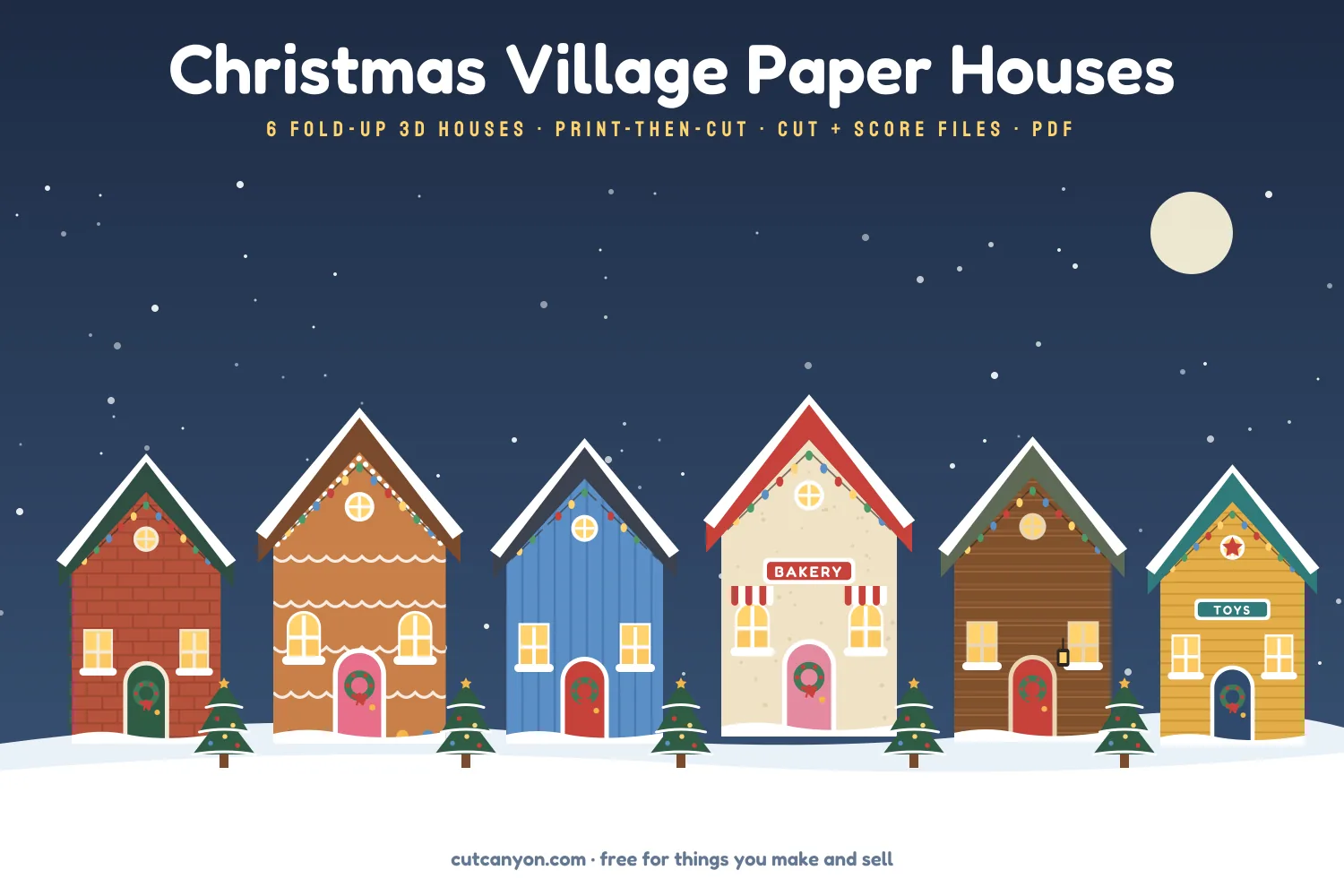
Christmas Village Paper Houses
Free · no sign-up · commercial use of what you make is OK
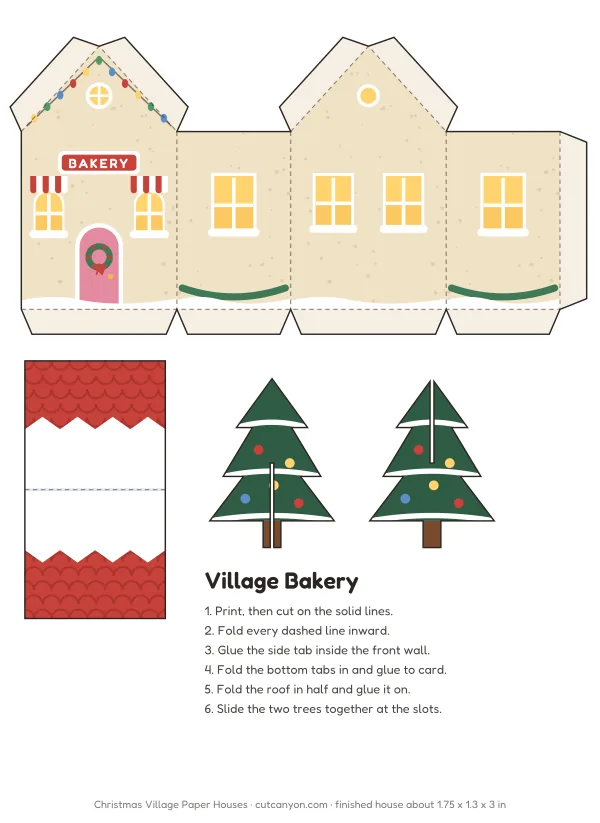
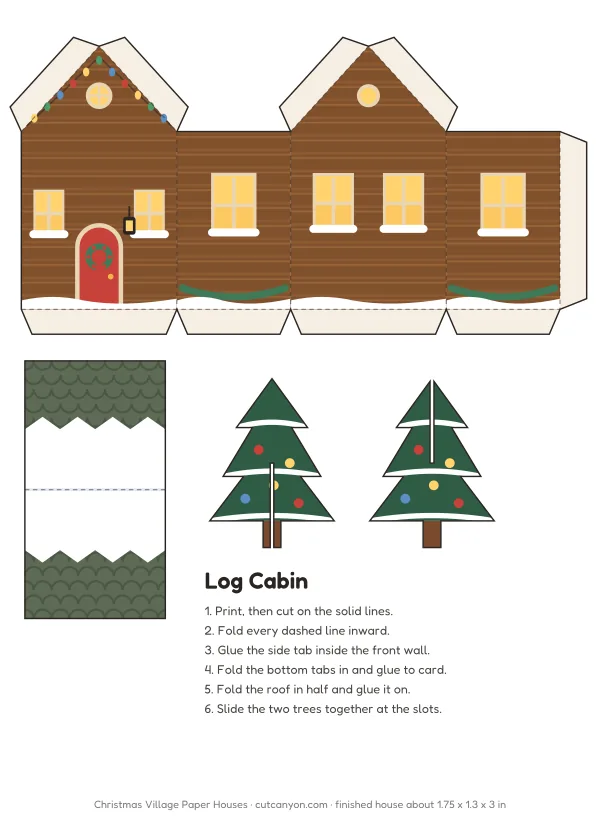
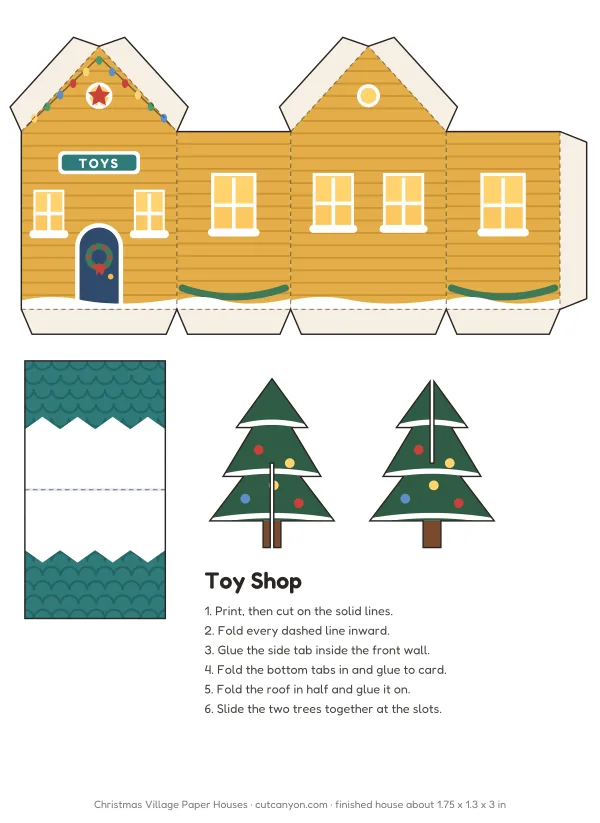
Six little paper houses you print, cut, fold and glue into a Christmas village: a brick cottage with a wreath on the door, a gingerbread house with icing trim, a blue Nordic house with white window frames, a village bakery with striped awnings, a log cabin with a lantern and a yellow toy shop with a star in the gable. Every house has glowing windows, snow along the bottom and a string of coloured lights under the roof line. Each page holds one house: the four walls in one piece with glue tabs, a snowy roof that folds down the middle and two Christmas trees that slot together to stand up. A finished house is about 1.75 x 1.3 x 3 inches, small enough for a mantel or a windowsill. Each page fits the 6.75 x 9.25 inch print-then-cut area, and there is also a lines-only version of every page with black cut lines and red dashed score lines for cutting from plain cardstock. One PDF holds all six print pages.
- Type
- Printable kit · 6 pieces
- Files
- PDF print sheets, plus each piece as SVG and PNG
- Works with
- Any home printer on cardstock or sticker paper; Print Then Cut in Cricut Design Space or Silhouette Studio is optional
- Licence
- Free, sell what you make
- Downloads
- 85
What is in the kit
The PDF above has print-ready sheets. Each piece below also comes on its own as SVG and PNG, for Print Then Cut or for your own layouts.
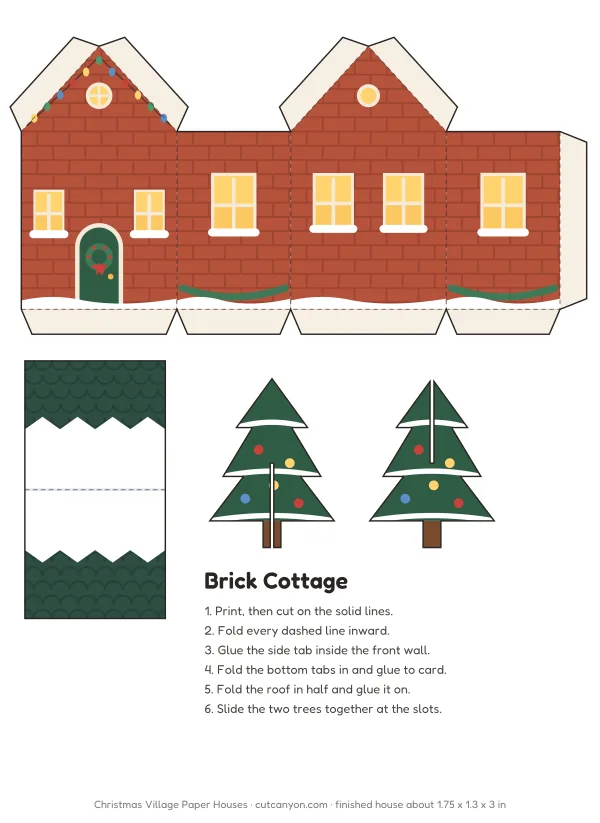
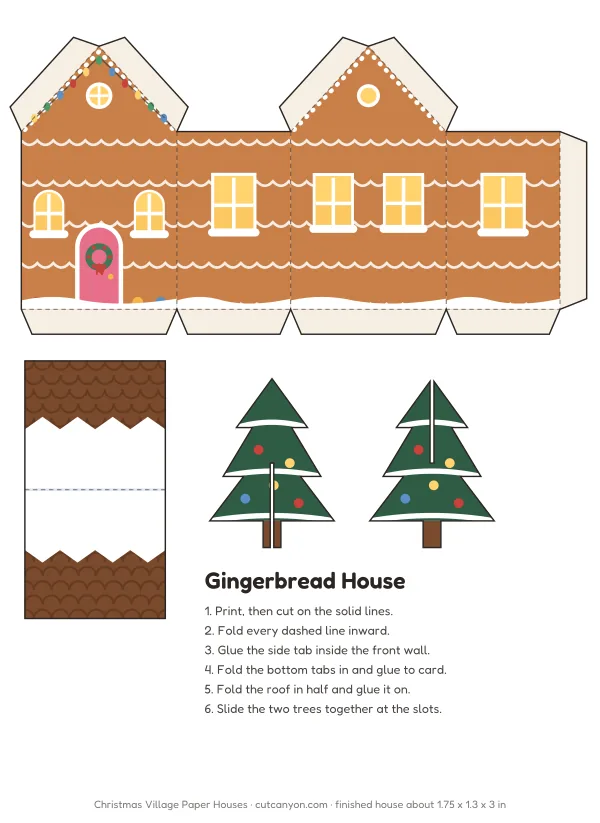
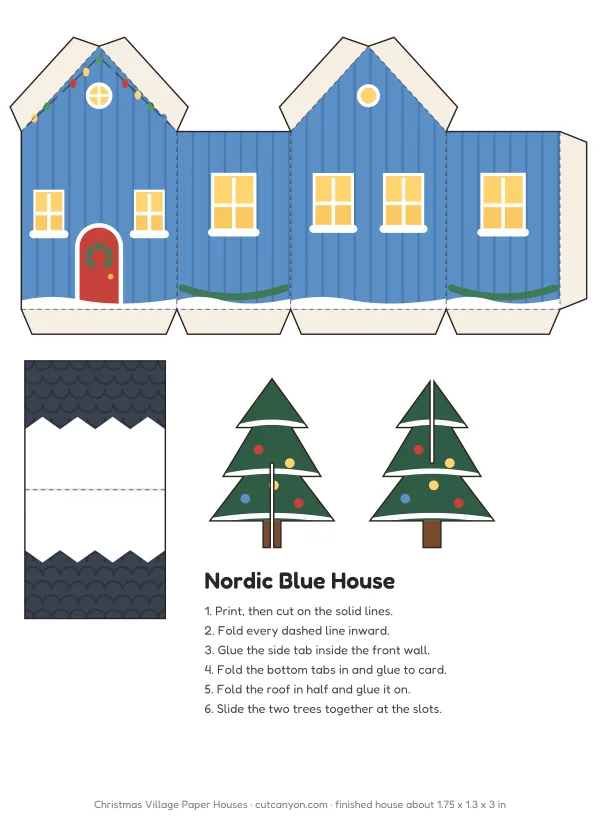
How to print it
- Open the PDF and print at 100% or "actual size". "Fit to page" shrinks everything slightly, so labels and tags will not match their stated sizes.
- Use 65–110 lb white cardstock for signs, tags and cards, or full-sheet sticker paper for labels. Matte paper hides fingerprints better than glossy.
- Cut by hand with a craft knife and ruler, or upload a page PNG to Cricut Design Space or Silhouette Studio and use Print Then Cut. Cricut limits Print Then Cut to 6.75 × 9.25 in, so resize a full page to fit.
- Punch tag holes with a standard 1/8 in hole punch and tie on with twine or ribbon.
More christmas designs
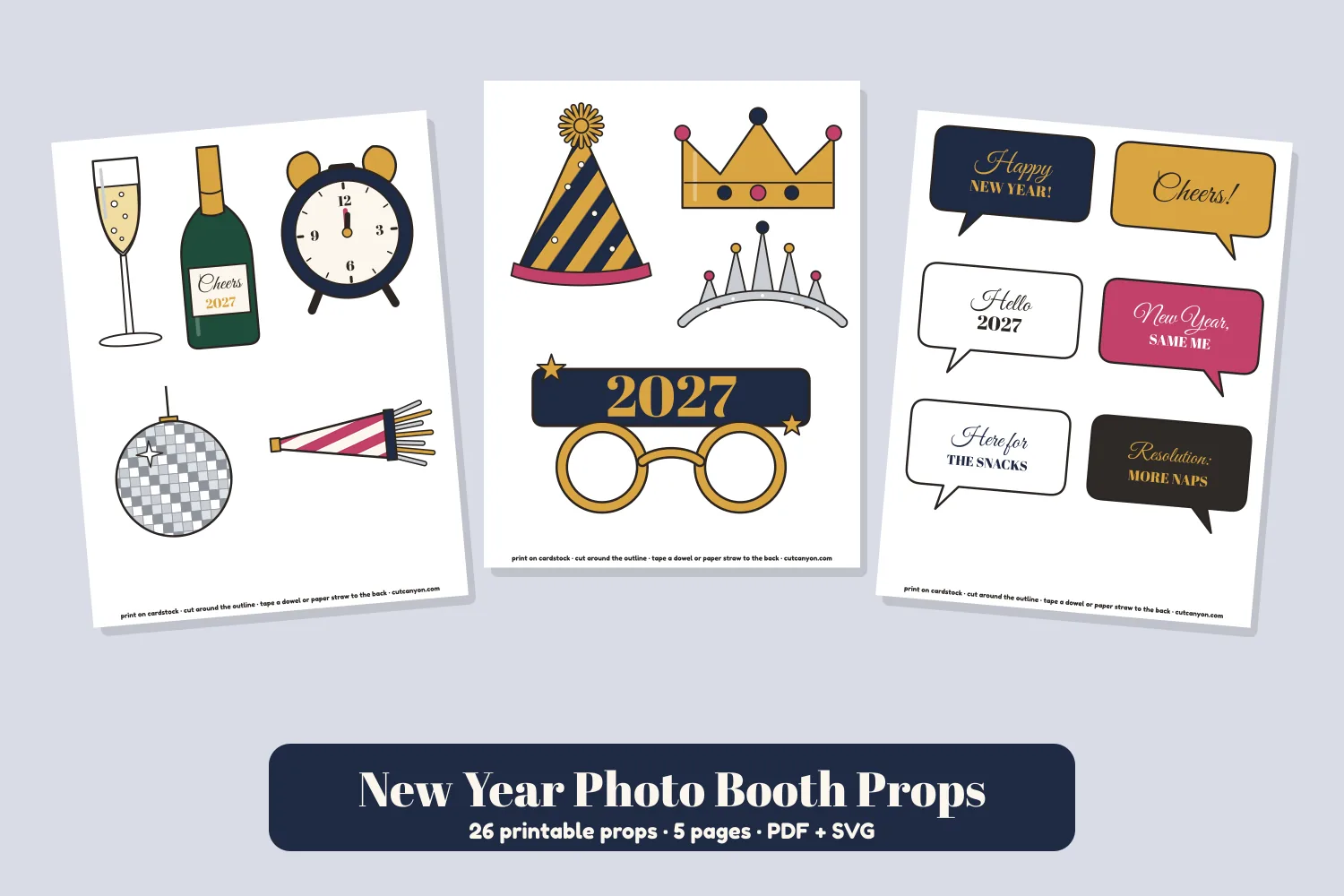
Browse all Christmas SVGs, or jump to Halloween and Fall.